Wednesday, 15 December 2010

Myths about students -- and implications for Web design

Interesting post by Jakob Nielsen which claims that usability research undermines some prevailing myths about students.

Myth 1: Students Are Technology Wizards
Students are indeed comfortable with technology: it doesn't intimidate them the way it does some older users. But, except for computer science and other engineering students, it's dangerous to assume that students are technology experts.

College students avoid Web elements that they perceive as "unknown" for fear of wasting time. Students are busy and grant themselves little time on individual websites. They pass over areas that appear too difficult or cumbersome to use. If they don't perceive an immediate payoff for their efforts, they won't click on a link, fix an error, or read detailed instructions.

In particular, students don't like to learn new user interface styles. They prefer websites that employ well-known interaction patterns. If a site doesn't work in the expected manner, most students lose patience and leave rather than try to decode a difficult design.

Myth 2: Students Crave Multimedia and Fancy Design
Students often appreciate multimedia, and certainly visit sites like YouTube. But they don't want to be blasted with motion and audio at all times.

One website started to play music automatically, but our student user immediately turned it off. She said, "The website is very bad. It skips. It plays over itself. I don't want to hear that anymore."

Students often judge sites on how they look. But they usually prefer sites that look clean and simple rather than flashy and busy. One user said that websites should "stick to simplicity in design, but not be old-fashioned. Clear menus, not too many flashy or moving things because it can be quite confusing."

Students don't go for fancy visuals and they definitely gravitate toward one very plain user interface: the search engine. Students are strongly search dominant and turn to search at the smallest provocation in terms of difficult navigation.

Myth 3: Students Are Enraptured by Social Networking
Yes, virtually all students keep one or more tabs permanently opened to social networking services like Facebook.

But that doesn't mean they want everything to be social. Students associate Facebook and similar sites with private discussions, not with corporate marketing. When students want to learn about a company, university, government agency, or non-profit organization they turn to search engines to find that organization's official website. They don't look for the organization's Facebook page.

Friday, 3 December 2010

Show me the numbers

One of the offshoots of the Arcadia Project was the joint UL/CARET CULWidgets product, which wangled some JISC funding to "provide users with services appropriate to a networked world" in a widgetty/web services way.

Our two main production interfaces are the Cambridge Library Widget and the CamLib mobile web app, both soft-launched at the start of this term. This, the last day of term, seems a good time to look back and see how they've done.

Overall unique visitor numbers for the Widget are:


And, slightly more erratically, for CamLib:


A combined 4,489 unique visitors across the two. The services are mainly targeted at Undergraduates, of which Cambridge has c.12,000. Even assuming some crossover between the interfaces, and the likelihood that not all of them are undergrads, we're still looking at a significant proportion of our UG population (25-33%?)

Of course, these are just our unique visitors (i.e. distinct people who have visited the site) - total visits for the period are 12,284 and 2,559 respectively. Which shows that students are coming back to the interfaces again and again, not just taking a crafty peek. Monthly figures across both interfaces average around 3,000 unique users.

Our initial target was for 2,000 unique users in the first term, so we're running at well over double. Well done Widgets! And there are more to come.

Wednesday, 1 December 2010

Disruptive technologies in digitisation

Much of my fellowship has been taken up with examining three tech initiatives, all of which could be used in an on-demand process and could also be classed as disruptive. One is software, two are hardware.

Here is a bit more information ...

1) The Copyright calculator

Public Domain Calculators from Open Knowledge Foundation on Vimeo.


What is it?
A software development that assesses the copyright status of a creative work by looking at associated metadata. I've made an initial attempt to tie the Open Knowledge Foundation calculator into LibrarySearch, or new catalogue interface.

Why is it disruptive?
It can give the reader a useful indication of the copyright status of a book, allowing them to decide how they can re-use it. Its potentially useful as the first stage in a digitisation selection workflow, but also useful on its own. Its also an example of the commoditisation of a basic legal service.

What problems are there?
The be effective, the calculator needs author death-date information. Libraries only record this information when they wish to differentiate a name. Linked data tying a record into other sources of information could help overcome this


2) Kirtas book-scanner


What is it?
An automatic book-scanner. Turns pages using a vacuum equipped robot-arm and images pages with dual high-spec cameras

Why is it disruptive?
Books can be scanned and turned into PDF or other documents in a matter of hours, with minimal human interaction required.

What problems are there?
Its not cheap and still not 100% accurate. Its also a robot, so should not entirely be trusted.


3) Espresso book machine


What is it?
A photocopy sized book creation machine that does not require a printing-works to run it. Can print and bind a book in minutes.

Why is it disruptive?
Provides a library or a bookstore with a massive research collection/ back catalogue with none of the storage problems or overheads . Could have implications on acquisition, collection development and every part of library activity.

What problems are there?
As with the Kirtas, its not cheap, and limited in formats and outputs. And its a robot.

I'll have more to say on my project as I slog through write-up ...

Futurebook 2010

Whilst beginning to wrap up my fellowship (more in another post), I took time out to attend the FutureBook conference yesterday. Organised by the Bookseller, this conference brought together a number of industry leaders to highlight their successes and to raise awareness of issues they have faced in digital publishing. It was a fascinating day. For publishers and booksellers alike, it seems the digital revolution has finally arrived. Some highlights:

  • The Bookseller has conducted a wide survey of the sector to gauge opinion and attitude, with over 2,600 responses. This will be published soon.
  • One statistic was worth noting, when asked who will gain most from a rise in digital sales, respondents suggested readers, authors, publishers as the most, with booksellers and libraries rated last.
  • Publishers and booksellers had differing ideas regarding how quickly the change would occur. By the end of 2015, 2/3rds of publishers believed digital sales would account for anywhere between 8-50% of the market. Only just over half of the booksellers polled believed the same thing
  • Google will enter the online book retail market soon with Google Editions. Rather than tie themselves to a device, they are aiming for a platform agnostic browser and app based model, with all content remaining in the cloud rather than on-devices (although HTML 5 based local storage will be used) It will allow various online retailers and booksellers to build platforms around Google editions.
  • Tech-startups were suddenly seen as competition by publishers, at least in the app business. In response, much value was placed on publishers' knowledge of markets, talent and trends, as well as the curatorial process of commissioning and editing
  • Richard Mollet of the Publishers Association talked up the Digital Economy Bill. Formerly in the music industry, he noted that 'rights and copyright make the digital world go round', and argued that the bill was vital in explaining the damage illegal copying had on the creative sectors
  • Nick Harkaway, an industry commentator agreed in principle, but noted that enforcement so far had failed to deter illegal filesharing and DRM was no serious barrier to rights infringement. He urged publishers to keep people paying by offering serious innovation rather than simple digital recyling of print content
  • The academic book sector was well represented, with Wiley, CUP, OUP , Ingenta Connect and Blackwells Academic presenting. OUP gave an excellent talk on the changes required across an institution
  • We also had displays from Scholastic regarding the cross-media Horrible Histories series and looks at the editorial and creative processes behind booksellers' first steps into the world of mobile app development. Max Whitby from Touchpress showed off the Elements app, the next stage in the evolution of the coffee-table book
  • YouGov have a tablet track scheme looking at customer experiences of iPads and Kindle readers, which produced some interesting facts.
One over-arching trend that libraries can learn from relates to changes in the production and publishing processes. The phrase 'reflow-able text' was heard throughout the day, with publishers being urged to ditch PDF and print centric work flows in favour of granular xml-based marked up text that could be easily re-purposed for the next device of platform.

It seems to me that mainstream publishing is jumping over academic publishing on this one. Given the amount of on-line journal vendors that still insist on forcing PDF files down our throats, XML based delivery of more academic content could be of real use now to the consumer as well as the publisher.

One application of this approach was demonstrated, the Blackwells Academics custom textbooks service. This allows course-leaders to assemble all the material relating to a course into one bound volume which could then be sold on. Taking care of rights clearance, it also quite handily passed on the cost of printing course-packs to students!

Its still a great concept. Such a leap is only possibly by storing content in a normalised XML form, allowing it to be quickly pulled together to create new outputs.

Of course, we've been doing this in libraries with TEI and other transcription initiatives for some time now, but publishing at least is really taking the concept to heart, especially when faced with multiple devices and platforms to support. Post iPad, library digitisation projects will need to bear this delivery model in mind rather than relying upon image based delivery.

Tuesday, 23 November 2010

Analog tools

Workspace

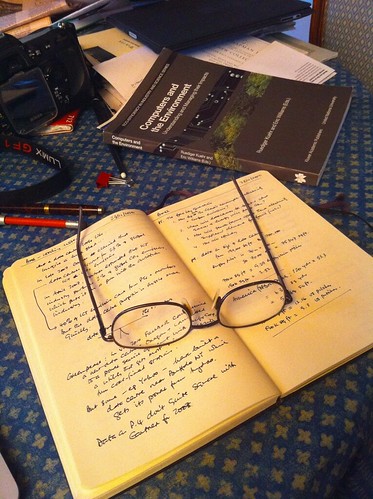
Sometimes, you just can’t beat an olde-worlde paper notebook. Highly portable, great screen resolution, excellent, intuitive user interface and infinite battery life.

Only problem: it’s hard to back up. On the other hand, it’ll still be readable in 200 years. Which is more than can be said for any of my digital data.

Saturday, 20 November 2010

Digital Humanities

The New York Times has an interesting piece about the renewal of interest in the Digital Humanities.

The next big idea in language, history and the arts? Data.

Members of a new generation of digitally savvy humanists argue it is time to stop looking for inspiration in the next political or philosophical “ism” and start exploring how technology is changing our understanding of the liberal arts. This latest frontier is about method, they say, using powerful technologies and vast stores of digitized materials that previous humanities scholars did not have.


The article goes on to describe a few interesting projects. For example:


In Europe 10 nations have embarked on a large-scale project, beginning in March, that plans to digitize arts and humanities data. Last summer Google awarded $1 million to professors doing digital humanities research, and last year the National Endowment for the Humanities spent $2 million on digital projects.

One of the endowment’s grantees is Dan Edelstein, an associate professor of French and Italian at Stanford University who is charting the flow of ideas during the Enlightenment. The era’s great thinkers — Locke, Newton, Voltaire — exchanged tens of thousands of letters; Voltaire alone wrote more than 18,000.

“You could form an impressionistic sense of the shape and content of a correspondence, but no one could really know the whole picture,” said Mr. Edelstein, who, along with collaborators at Stanford and Oxford University in England, is using a geographic information system to trace the letters’ journeys.

He continued: “Where were these networks going? Did they actually have the breadth that people would often boast about, or were they functioning in a different way? We’re able to ask new questions.”

One surprising revelation of the Mapping the Republic of Letters project was the paucity of exchanges between Paris and London, Mr. Edelstein said. The common narrative is that the Enlightenment started in England and spread to the rest of Europe. “You would think if England was this fountainhead of freedom and religious tolerance,” he said, “there would have been greater continuing interest there than what our correspondence map shows us.”

Saturday, 13 November 2010

Hacking the Library -- ShelfLife@Harvard

What is Shelflife?
Shelflife is web application that uses what libraries know (about books, usage and comments) to allow researchers and scholars to access the riches of Harvard’s collections through a simple search.

Researchers will be able to access, read about, and comment on works using common social net- work features. ShelfLife will bring Harvard results to the forefront of the research process, allowing users to easily access and explore our vast collections.
What makes it unique?

Shelflife is designed to help you find the next book. Each search will retrieve a unique web page providing key information about the thing searched, including basic information, fluid links to related neighborhoods, and analytic data about use, all presented in a clean graphical format with intuitive navigation with discoverability in mind.


From the Harvard Library Innovation Lab. The site provides no information about ShelfLife beyond the above, but Ethan Zuckerman, who's a Berkman Fellow at the moment, has a useful blog post reporting a presentation by David Weinberger and Kim Dulin, who co-direct the project.
Libraries tend to be very knowledgeable about what they hold in their collections. But they’re much less good about helping people discover that information. There are few systems like Amazon or Netflix recommendations that help scholars and researchers discover the good stuff within libraries. Dulin argues that librarians have been pretty passive in the face of new technology – they’ve purchased fairly primitive systems and had to buy back their content from the companies who build those systems.

Researchers tend to start with Google, Dulin tells us. They might move to Google Books or Amazon to find out more about a specific book. And perhaps a library will come into play if the book can’t be downloaded or purchased inexpensively. Libraries would like to move to the front of that process, rather than sitting passively at the end. And lots of libraries are trying to take on this challenge – new librarians often come out of school with skills in web design and application development.

The Lab hopes to bring fellows into the process, much as Berkman does. It works to build software, often proof of concept software. And innovation happens on open systems and standards, so libraries and other partners can adopt the technology they’re developing.

Two major projects have occupied much of the Lab’s time – Library Cloud and ShelfLife, both of which Weinberger will demo today. There are smaller applications under development as well. Stackview allows the visualization of library stacks. Check Out the Checkouts lets us see what groups of users are borrowing – what are graduate divinity students reading, for instance. And a number of projects are exploring Twitter to share acquisitions, checkouts and returns.

Weinberger explains that ShelfLife is built atop Library Cloud, a server that handles the metadata of multiple libraries and other educational institutions and makes that metadata available via API requests and “data dumps”. Making this data available, Weinberger hopes, will inspire new applications, including ones we can’t even imagine. ShelfLife is one possible application that could live atop Library Cloud. Other applications could include recommendation systems, perhaps customized for different populations (experts, versus average users, for instance.)


Turns out the ShelfLife is in a pre-Alpha state of development. The metaphor behind it is the "neighbourhood" -- i.e. clusters that a given book might sit within.
We see a search for “a pattern language”, referring to Christopher Alexander’s influential book on architecture and urban design. We see a results page that includes a new factor – a score that indicates how appropriate a title is for the search. We can choose any result and we’ll be brought into “stack view”, where we can see virtual books on a shelf as they are actually sequenced on the physical shelf. Paul explains that it’s actually much more powerful than that – many books at Harvard are in a depository and never see the light of a shelf. And many colelctions have their own special indices – the virtual shelf allows a mix of the Library of Congress categories with other catalogs.

The system uses a metric called “shelfrank” to determine how the community has interacted with a specific book. The score is an aggregate of circulation information for undergraduates, graduates and faculty, information on whether the book has been assigned for a class, placed on reserve, put on recall, etc. That information exists in Library Cloud as a dump from Harvard’s HOLLIS catalog system – in the future, the system might operate using a weekly refresh of circulation data. The algorithm is pretty arbitrary at this point – it’s more a provocation for discussion than a settled algorithm.


Ethan reports some of the Q&A and generally does a great job of writing up the event. His post is worth reading in full.