Wednesday, 7 October 2009

JISC Report: Library and IT services need to plan for the future

News release:

New research conducted by Ipsos MORI shows how academic library and IT services are budgeting for today’s economic conditions, but are in need of help to scenario plan for the long term impact of the recession.

‘The impact of the economic recession on university library and IT services’ report, commissioned by JISC, SCONUL and UCISA, contains the findings of 40 interviews carried out in 36 universities across the UK.

The research shows that library and IT services are adept at managing their budgets year on year, but acknowledges that there is a need to develop creative solutions to be able to offer the current 24 hour access to resources students, academics and researchers currently expect.

It also warns that the impact of any cuts is likely to have wide implications on institutions’ delivery of their overall strategic aims, such as enhancing the student experience.

“Identifying and addressing the current impacts of the recession is only part of the process. The greater challenges lie further ahead, five or more years from now, so more work is needed to scenario plan for the future if the knock-on effects are to be fully understood and mitigated to any extent.” said Charles Hutchings, market research manager at JISC.

JISC has invested and is continuing to invest a number of areas that will help to address these issues, for example:

JISC Collections continues to play a key role in supporting institutions to achieve the most cost-effective and consistent deals possible. Alongside this, Open Access models should help to mitigate the increased costs in journal subscriptions

Since 2006, JISC has been helping institutions to develop physical spaces that anticipate the pervasive use of technology in education and research

The JISC-led Strategic Content Alliance has produced a number of guides, toolkits and case studies on how to identify the way in which services and resources are used. As well as valued by appropriate audiences, to, among other things, inform long-term planning

The new Green ICT programme is helping universities and colleges estimate the carbon footprint left by their computers, to help target areas for energy saving

Read the full report http://www.jisc.ac.uk/publications/documents/libsitimpacts.aspx and briefing paper http://www.jisc.ac.uk/publications/documents/libsitimpactsbp.aspx

Assumed Knowledge: Patron Barcodes

Sometimes, a fresh pair of eyes can make all the difference... And sometimes, the naive question is quite revealing...

Here's a case in point - I want to make my first Stack Request via Newton...

(Ok, I'll pause there for a minute: stack request? Newton? It's Week 1 of a new academic year and not all of the current intake will speak the lingo yet...)

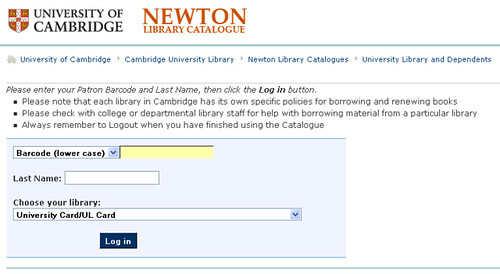
Here's what I see:

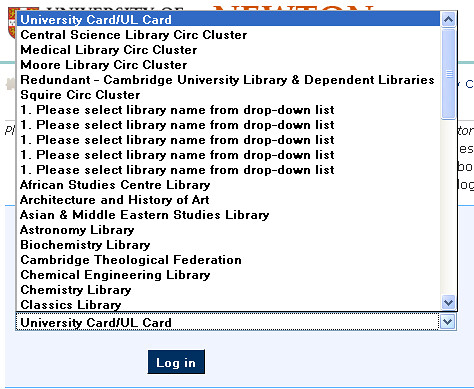
Cambridge Univresity Library login screen

Note the guidance: Please enter your Patron Barcode and Last Name, then click the Log in button.

I presumably need to enter the Barcode (lower case) from my University Card/UL Card?*

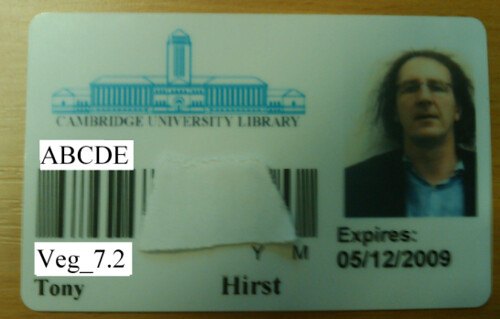
Here's my (slightly modified ;-) Library Card:


Hmmmm... Barcode (lower case)? Errr....? So that's abcde? Or veg_7.2? (Why can't a form validator handle case mapping, anyway?!;-)

Although the Reading Room Services webpage doesn't help much, the West Room - Services page does:

# Select, if required, University Card/UL Card from the drop-down list in the Home Library box (only necessary when using the Universal Catalogue)
# Enter your barcode in the Barcode box (the five-character code on your Library/University card)


Ahh... Barcode (lower case) = (the five-character code on your Library/University card)

Which will be ABCDE, presumably? Only in lower case: abcde... (Erm, err, just as an aside: Library/University card...? So - err, do I have a University card? Or is that the same as the Library card? That is, is the Library card my University card?)

Anyway - the moral of the tale is...? Maybe the University Library Card is the most important card I carry, and maybe it's obvious which set of characters is the barcode (err.... the barcode is the barcode, right? For no good reason, I'm not convinced that most people realise that barcodes actually decode to alphanumeric characters?)

Anyway, IMHO, it's not... Obvious, that is... Obvious, that is, which set of characters are the Patron Barcode, or Barcode (lower case).

A lot of interface design issues are problematic the first time round, and they can be quite hard to spot when you're familiar with a system even after only a couple of days use. But for the first time or occasional user, it's the little "isn't it obvious" assumptions that can make systems unfriendly to use: "BUT WHY SHOULD I KNOW THAT?!"

(By the way: hands up if you speak barcode/know how to decode one... Also: today is the 57th Anniversary of the invrention of the barcode. And yet again, Google gets a bucketload of free advertsing from all and sundry: Google doodle: 57th anniversary of invention of the bar code)

* Seems like there's an error in whatever is powering the 'Choose Your Library' selection box...


Tuesday, 6 October 2009

Rethinking the Front End of the Library Catalogue

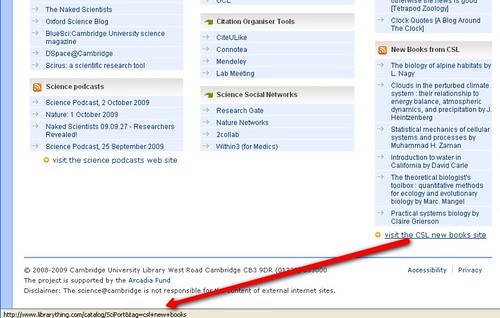
In Complementing the OPAC With a Full Text Search Book Catalogue I briefly mentioend how information from LibraryThing for Libraries could be used to enhance results screens of a Library OPAC. Digging around the science@cambridge portal just now, I noticed this rather interesting link:


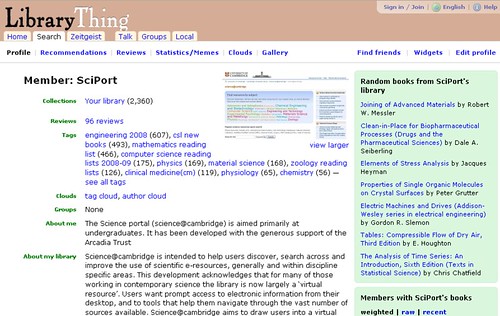
That is, a feed from - and link to - a Cambridge Library new science books account on LibraryThing - SciPort:


I'm not sure how the Library Thing account is kept up-to-date? Does LibraryThing support synching somehow? As science@cambridge was set up under the aegis of the Arcadia project (I think?), somebody on the team must know?! ;-)

I have to admit, though - this willingness to engage with new ideas has really impressed me...:-)

[Note - the rest of this post is concerned with the visual - the surface appearance of the library catalogue front end, not is search tools, indexing and metadata capabilities, etc. If OPAC front ends were designed with web standards in mind, a lot of the shiny stuff could be added with a bit of re-skinning... But in the main, their HTML is horrible... Also remember that I come from the rapid prototyping camp - could we get something up and running in a day or two?]

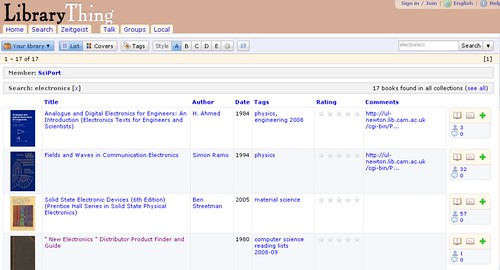
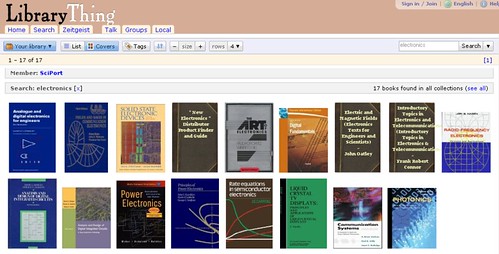
So what does LibraryThing offer? Firstly, you can add books to your account, in order to maintain a collection of records about books you own (or presumably, have read). Secondly, you can search through user's collection:


The results are also available in a cover based view:


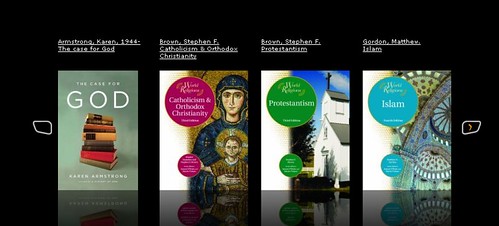
I wonder how hard it would be to add a coverflow view - e.g. as 'pure coverflow':


or as a more traditional carousel:


(Certainly on the iPod Touch, I find the flickable cover flow interaction lets me skim through album covers until I find the one I want to be very effective, efficient, and maybe even more pleasant than a click based interaction?)

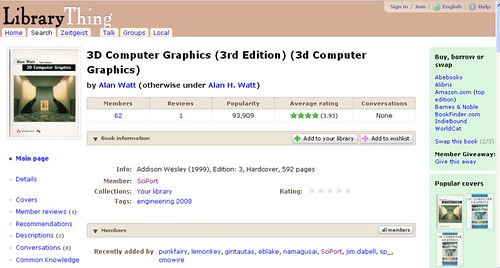
The records for each book are centrally held, which makes sense, and user stats are aggregated across the public users of the LibraryThing site:


The "Buy, borrow or swap" column on the right hand side is interesting... What if an institution hosted its own version of LibraryThing, gave all the patrons an account (and also everyphysical library) and books were tracked that way? What if Libraries that had a book available for loan advertised that book via the Member Giveaway, and a patron that had borrowed a book could also loan it on via the Member Giveaway facility, an approach not unlike the Bookcrossing idea, I suppose?

An alternative social front end to the OPAC can be put together using Scriblio/WP-OPAC. Joss WInn at Lincoln is soliciting thoughts on a hosted version of Wordpress/Scriblio that Libraries could use to set up their own Wordpress catalogue frontends without too much grief or technical expertise: Open Education: Talis Incubator Proposal

Imagine that JISC, Talis or Eduserv offered such a platform to UK university libraries. It could be a service, not unlike wordpress.com, where authorised institutions, could self-register for a site and easily import their OPAC, apply a theme, tweak some CSS, choose from a few useful plugins, and within less than a day or two, have a branded, cutting-edge search and browse interface to their OPAC, running under their own domain.

Again, Scriblio offers most of what you'd expect from a visual, social front end to a catalogue - covered illustrated results:


Location information, some desciptive text and category labels:


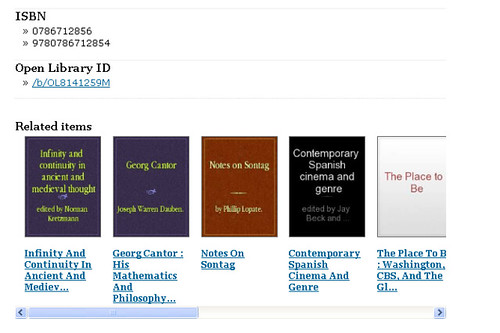
A bit of metadata, and some related works:


(I think it's important not to underestimate related works - part of the joy of a physical library is the role of serendipity in finding books that are related to the one one you thought you were looking for, and that might actually suit your needs better...)

Being Wordpress based, you get an RSS vresion of the results page for free, if you want it: RSS version of Scriblio book information page.

And that's maybe a point worth finishing on... As well as social and visual features, these informal book catalogue solutions expose simple machine readable interfaces that third parties can build on. The catalogue layer is a representation surface that supports search and discovery not just on the Library website, but also potentially on third party sites, and using third party skins.

If you want to keep control of you data, whilst maximising its effective web exposure, you have to share it. Otherwise people will grab a local copy to do with as they will, and/or remain oblivious to your site completely...

Monday, 5 October 2009

Mobile Takeaways

Being a lazy sort, it seemed only right and proper that I should read throught the reports of the previous Arcadia Fellows to see if there were any ideas contained within them that would be amenable to a quick hack or two...

Starting with Keren Mill's M-Libraries - Information on the move report [PDF], a few things jumped out at me:
  • "Mobile OPAC: Staff at Cambridge University Library have observed customers using their camera phones to take pictures of the catalogue results screen, rather than noting class marks on a piece of paper. 50% of respondents at both universities said they take photos of signs, books, etc to save information for later reference." [p8]
    This maybe lends some sort of post hoc third party justification for my first hack on the Arcadia Mashups Blog: Visual Links - Sharing Links With QR Codes where I posted a quick bookmarklet to show what a QR code on the OPAC might look like and where it might point to, as well as pondering what a library shortcode might look like...

  • "Mobile OPAC: In the long term libraries could work with their Library Management System supplier (LMS) to create a mobile version of their library catalogue. There is already a mobile application for OCLC’s WorldCat, so libraries who submit their catalogue records to WorldCat could make use of that to pilot the service." [p8-9]
    I think that the Cambridge University Library Newton catalogue is accessible via WorldCat, so there may be a quick win available there, e.g. producing a WorldCat mobile page that limits results to Cambridge University holdings (if that's possible?). I don't (yet...) know if Newton supports OpenSearch RSS, or whether it's user interface is easily scrapeable, but if so, a quick hack of a prototype web based iPhone/mobile like interface using iUI shouldn't be too hard to do...?

  • "Less than 16% of Cambridge respondents use their mobile phones to access the internet more than once a week, and only 25% do at the OU." [p10]
    The report is dated May 2009 -it would be interesting to know if this percentage is increasing, e.g. as mobile phone clients for social networks such as Facebook become increrasingly available, and along with the rise of mobile app stores. There may also be a question of semantics - would a user of a mobile phone application for social network say that they are accessing the internet? Or would they regard the internet as something other - e.g. visiting a web page?

    As to how they would like to be able to use their mobiles?


    (Note that there's nothing there about the 'note taking' use of camera phones? Though that could be seen as a largely offline use, I guess, even if it is most powerful if tied in to an online reference generating service?)

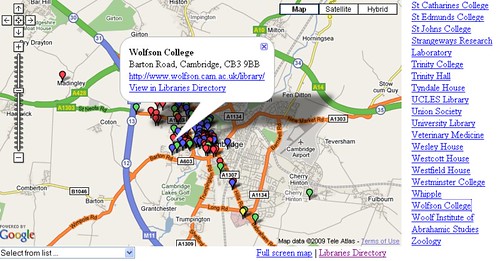
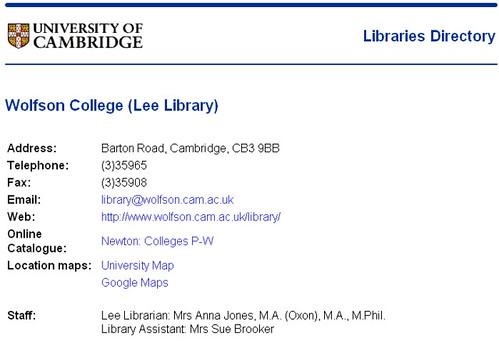
    As far as location maps go, a map of Cambridge U library locations is already available:


    although opening time information does not appear to be universally available directly through the centralised directory?


    So it looks like there may be a quick win there for a simple map based app/web page that included library opening times? A simple SMS text based interface might also be appropriate for delivering library opening time info, though the question remains as to how users would find the number to send the request message to...? [Note to self~: review my old, old thinkiing on this: Micro- and Appropriate Format Information Services]


Hmmm...

Complementing the OPAC With a Full Text Search Book Catalogue

In part by way of a follow up to the Engaging With the Issues Raised By The Google Book Settlement , here's a very recent example of a Library that has engaged with Google Booksearch to produce a custom full text booksearch engine built around some of their holdings: 150 year old Wiltshire library goes digital - thanks to Google

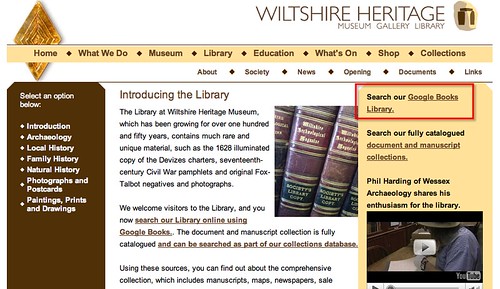
The Wiltshire Heritage Museum library has just gone online with a full digital library created in just 5 months using the controversial Google Books service.


Wiltshire Heritage Library does Google books.... http://www.wiltshireheritage.org.uk/library/

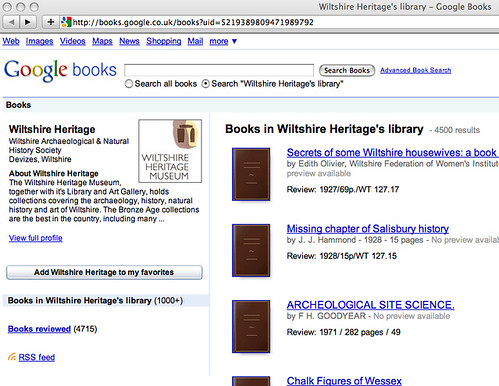
How so? By using the Google Books personal library facility: My Library, which allows you to create a custom search engine limited to searching over the full text of the books you have added to your Google book library.

At the moment there's not a lot of branding on the Wiltshire Heritage page, and the URL is a vanilla rather than redirected one (or even a vanity URL), but the functionality is there...

Wiltshite Heritage library on Google books http://books.google.co.uk/books?uid=5219389809471989792

That said, there is a Google Books API to code against for developing custom services based around this collection. The default RSS feed provides a feed of the books added most recently to the Google books collection.

There is also potential for embedding the search facility within the Wiltshire Heritage Library domain using Google's Co-Branded Search facility.

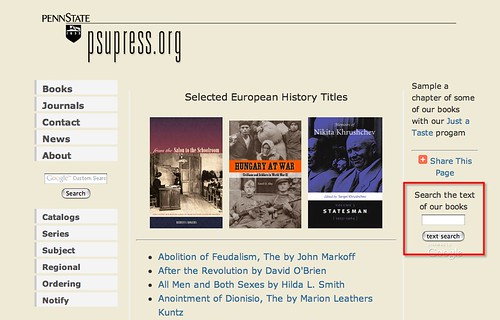
Here's an example of such a cobranded experience, from Penn State University. First, the search box:

Penn State Google booksarch http://www.psupress.org/books/book_subject_eurohist.html

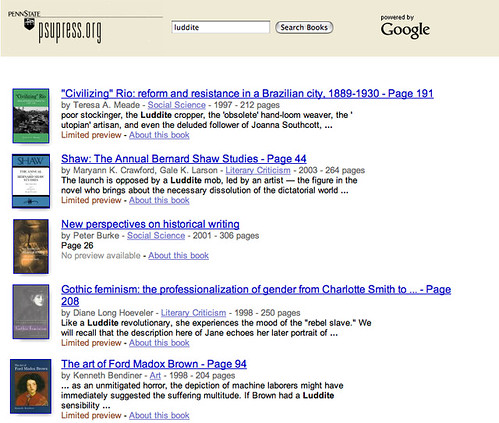
The results page can be branded along the top:

Searching Penn State with Google books http://www.psupress.org/books/book_subject_eurohist.html

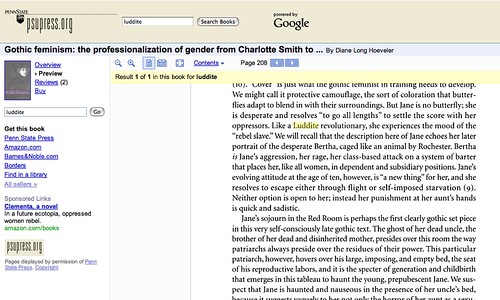
For books with a limited or full preview, the preview page can be similarly branded:

Penn State -= google books preview

In the context of the Cambridge Libraries, I'd have thought that the sheer number of affiliated libraries means that there is at least the potential for running a small trial of this service over some of the holdings from one of the departmental or College libraries? Or maybe not...

Although not a full text search service, LibraryThing's LibraryThing for Libraries service can complement a legacy OPAC with book recommendations and tag based pivot searching around a particular book using the wisdom of the LibraryThing userbase.

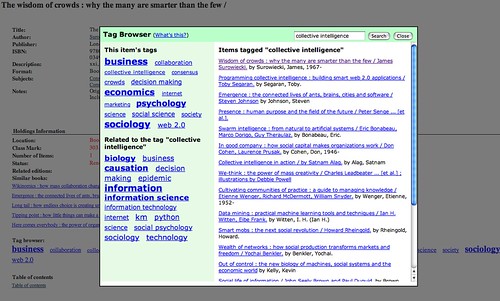
LibraryThing for Libraries is currently being trialled by the OU Library with their Voyager OPAC, as this example of tag based browsing around a particular book result shows:

LibraryThing for Libraries at the OU

See also this list of examples of LibraryThing for Libraries in action.

Thursday, 1 October 2009

Engaging With the Issues Raised By The Google Book Settlement

Like it or not, Google Book Search and the Google Book settlement are going to bring full text search to the world of published books... Web based search tools that let you search through books are not not going to happen.

Yes there may be problems with the meta-data (e.g. Google Books, The Metadata Mess) but there are use cases and there are use cases.


(I'd have thought Google was scanning the books in toto, though, which means they should also be scanning the bibliographic data..? (And which in turn means there should be a short term, stop gap fix for getting round elements of the data mess by using a few well crafted search query patterns?))

Just because Google Book Search may not (currently) be appropriate for certain forms of research doesn't mean that it's not useful in other ways, and doesn't mean that spi-off technologies, such as the ability to embed a preview of a book in a third party webpage, find books related by similarity of content (if not classification), or share reviews aren't useful... (Bear in mind too that most of those services can also be accessed via an API.)

Although the Google Book Settlement has been taken back under advisement, it's still worth considering some of the issues raised, and maybe even getting involved in the debate.

EduServ's Andy Powell has produced a quick guide to the settlement (The Google Book Settlement) which provides a great summary if you need bringing up to speed...


Andy also refers in his supporting blogpost to a set of consultation questions posted by JISC surrounding the summer 2009 version of the settlement that have been published on WriteToReply: JISC seeks your views on the US Google Book Settlement

For example, the questions they're asking include:

View comments on this question

View comments on this question

View comments on this question

It's well worth contributing to that debate becuase it's an issue that is not going away...

(Note that the above questions have been embedded on this page from the original consultation document using an embed code similar to that used to embed the slideshare presentations.)

Disclaimer: I am a director of Public Platforms Ltd, the publisher of the WriteToReply consultation platform.

By Way of Introduction...

Both as an outsider looking in, and now I guess as an insider looking round (Hi, pleased to meet you - I'm Tony Hirst, I just started as an Arcadia Fellow...), it seems to me that one of the great strengths of the Arcaida Project is the opportunity it provides to cast a fresh eye over Library life in Cambridge.

So as I start my 10 week stint here in Cambridge, here's a bunch of immediate impressions from day one...

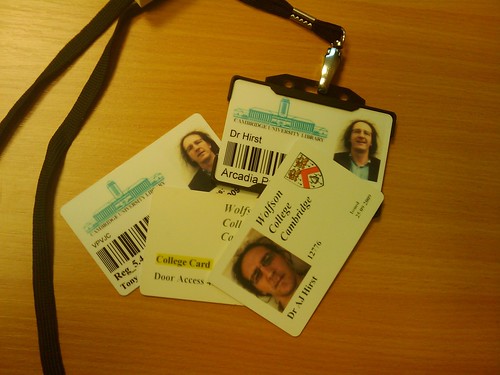
Firstly, the Cambridge system is a multi-layered one. I've been here a day and already collected four sets of computer credentials (they all use the same ID, but initially at least came with separate passwords): PWF (Public Workstation Facility), Hermes (email/webmail), Raven (Cambridge U wifi network) and the local University Library network. I also need a new wallet...

fractured identity...

With a college home in Wolfson College, my work home and hideaway office is in the central University Library, a brick built fortress that reminds me in more ways than one of Quarr Abbey on the Isle of Wight... Can you guess which is which...?!;-)

University Library, Cambridge Quarr Abbey Guest House, by Lawrence Lew, OP: /www.flickr.com/photos/paullew/

(Quarr Abbey Guest House is the photo on the right, taken by Lawrence Lew, OP.)

As part of my time here (a time in which I hope to see whether the OUseful rapid hacks'n'prototypes approach can deliver interesting demos and ideas to the Cambridge library context) I'll be looking for opportunities to work across the diversity of Cambridge's libraries, of which there are plenty, though the Newton Catalogue works across many of them, I think...?...


View Arcadia - Cam Libs in a larger map.
Display QR-code for map link [via SplashURL.net]


This map is also my Library spotting guide - I'll be changing the markers as I visit/spot each of the libraries...

(Note that the position of the markers may also be a little 'off', which I'll try to address as I wander around. The geocoding I used was based on address/postcode and then uploaded to a Google MyMap: Arcadia - Cam Libs. A machine readable list of Cambridge library locations with lat/long data is already avaliable here, so that might be something worth playing with... Human readable lists covering central libraries, department libraries, college libraries and other affiliated/specialist libraries can be found on the Cambridge University Libraries Directory website.)

But that's enough techie stuff for here - I'll probably be posting hacks and the like to the Arcadia category on OUseful.info, although I may set up an Arcadia Hacks blog too...:-)

And now let normal service on the Arcadia blog be resumed....